Fyanna the Lash

Original upload date: November 10 2014

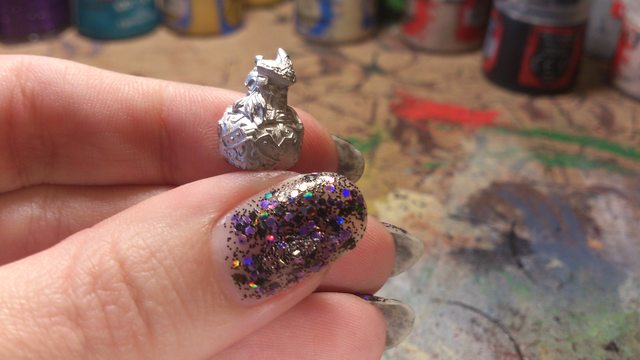
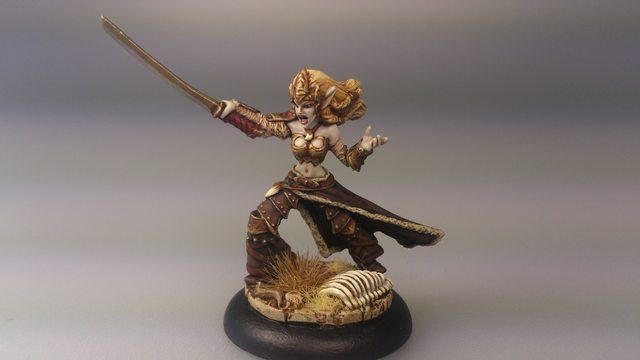
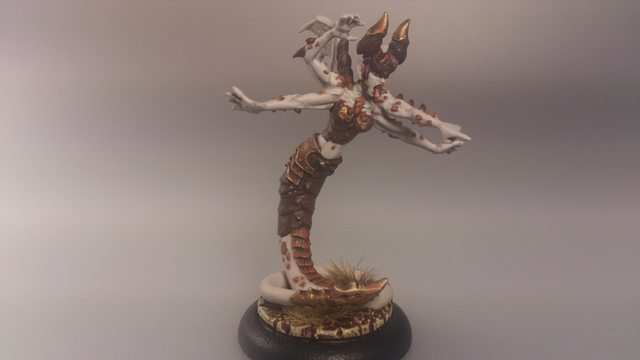
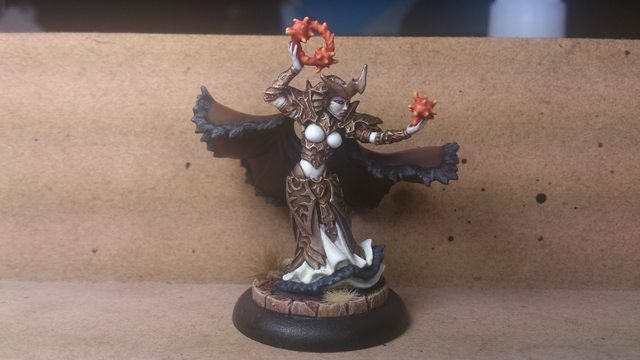
Doktor Grym approached me regarding painting one of the Orange Crush Legion models for the Foodmachine charity event this year. Some of my favourite painters such as Meg Maples and Matt DiPietro are already involved and one of my Legion heroes Charles Arrasmith helped write the lists. I’m excited to be able to join with these guys for a good cause so I will be painting up Fyanna the Lash for Orange Crush.

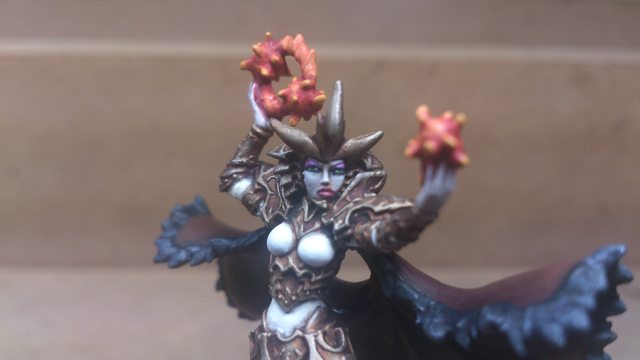
The painting instructions were to include orange so I wanted to make it a focal point. I didn’t know what colours the other artists would be using so I thought a safe bet would be to paint her in traditional Legion colours. I did not realise until now how ridiculously overcomplicated that scheme is! Anyway, she’s done and I love her but now I have to ship her off to America.

Fyanna the Lash

I figured I might as well paint my own Fyanna at the same time, so here she is in my regular tabletop quality.

Fyanna the Lash

Thanks for reading, likes/shares/comments are appreciated!

Kallus Conversion: Kallyse, Rage of Everblight

Original upload date: August 31 2014 – July 2 2015

Kallus

Kallus’s attrition play-style appeals to me but his model didn’t. Specifically, I disliked his oversized shoulder pads and enormous torso. Even these pictures don’t do justice to the scale of that thing!

Kallus Conversion

I decided to remove the torso and turn Kallus into a chick to better fit in with the rest of my sexy Legion girls. I was planning on removing the shoulder pads altogether but then I became worried that I was skirting a little too close to the 50% original model requirement for legal PP conversions (as of reposting, this rule is no longer a requirement). That’s when I noticed that Kallus’s shoulder pads are effectively two sectioned armour plates and I decided to try removing the larger one of the halves.

Kallus Conversion

I’m quite happy with it; I think it retains the original’s aesthetic but it will be much smaller and more feminine. As I was discussing my ideas with the hubby it annoyed me when I had to refer to my model as “Kallus”. My model isn’t Kallus any more so I needed a new name to reflect my incarnation of the Warlock. So Kallus, Wrath of Everblight became Kallyse, Rage of Everblight. Here’s my first attempt at horns, using my last spare Eiryss3 head as the base.

Kallus Conversion

Here’s a shot after I’ve started joining it all together and sculpting the hair.

And here’s the finished conversion. I’m really, really happy about how she turned out. She might be my best yet.

Kallus Conversion

In addition to the original Kallus model, I used Eiryss3’s head and a succubus arm for this mod.

Kallus Conversion

And here’s the finished model. She gave me a bit of trouble… I had to reassemble her (include resculpting and attaching a new horn) and I repainted her when I wasn’t happy with my attempt at OSL. I’m still not completely happy with the light effects but it’s a skill I can work on in the future.

Kallus Conversion

I was going for an Angelina Jolie look with her face. I also gave her slightly different coloured blight spots than my usual Legion. It’s a little easier to see from the back view:

Kallus Conversion

Thanks for reading, likes/shares/comments are appreciated!

Beast Mistress

Original upload date: August 24 2014

I wasn’t a fan of the the Beast Mistress’ back banner so I left it off the model.

Beast Mistress

I was initially upset when I found out that Legion aren’t getting our own Lesser Warlock, but then I realised that our pseudo-lesser warlock isn’t character restricted so perhaps that is an advantage.

Thanks for reading, likes/shares/comments are appreciated!

Afflictor

Original upload date: April 24 2014

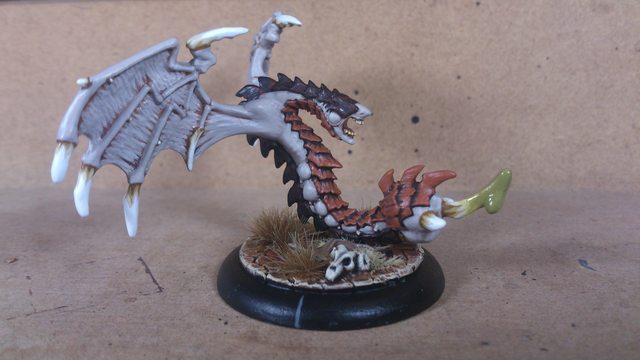
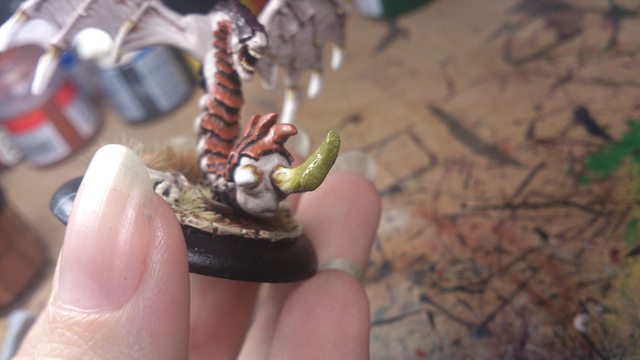
I experimented with another one of GW’s Technical Paints on my Afflictor. Nurgle’s Rot is weird, it’s semi-clear and rubbery. I built up successive layers to simulate a drop oozing out of the stinger. Eww.

sginrq8l

Unfortunately, a few days later I pulled it out of my foam case and was confronted with this:

2wapnv5l

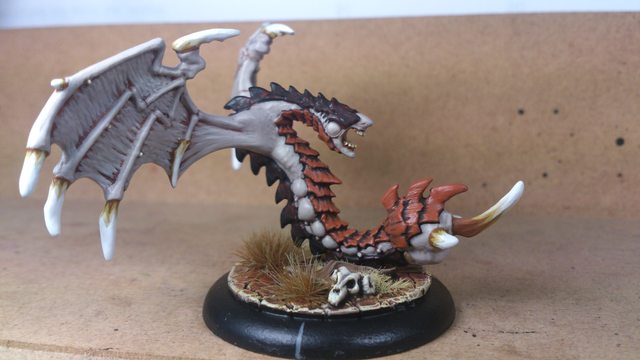
The drip was so rubbery that it absorbed the texture from my foam and got squished. I had to get rid of it. So here’s my revised Afflictor minus the drip. I still think it was a cool idea, but sometimes experiments just don’t work out.

Afflictor

Thanks for reading, likes/shares/comments are appreciated!

Vayl, Consul of Everblight

Original upload date: February 16 2014

I’ve finished Vayl2. I used her as a practise model during Meg Maples’ Masterclass painting workshop.

Vayl Consul of Everblight

Meg showed us how she paints her amazing eyes. It’s quite a bit more involved than my usual minimalist approach, but basically goes:
Step 1: Black
Step 2: White leaving black outline
Step 3: Black circle in centre
Step 4: Bright colour in black circle
Step 5: Tiny black dot in top half of bright circle
Step 6: White reflection dot

It was incredible to watch her do this, and which such a large brush as well! My attempt misses out on the final step, but I’m pleased nonetheless. Here’s my attempt:

Vayl Consul of Everblight

Later on I took some pics while experimenting with a $1 lens from ebay (like these here). It sticks onto a mobile phone and acts like a macro lens.

e18qwlrl

Her green eyes show up a little better when when taking pictures with it, but I couldn’t avoid that slight orange tint around the photo or manage to keep the lens cap out of the shot!

Vayl Consul of Everblight

Thanks for reading, likes/shares/comments are appreciated!

Throne of Everblight Conversion: The Tentacles

Original upload date: January 7 2014 – May 16 2015

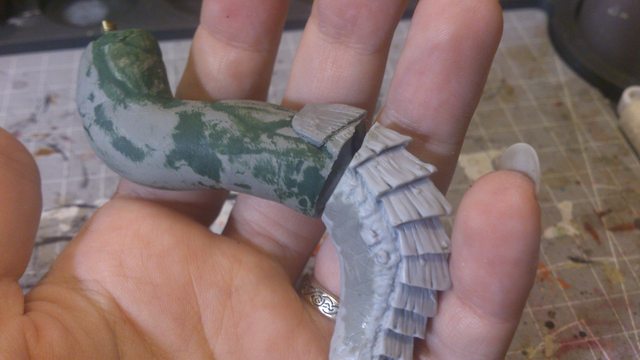
I chose this tentacle as the base anchor for the portal as it has a small flat section that fits onto the platform the best. I started by sawing off the end of the tentacle. It widens to socket into the beast’s body but I wanted to lengthen and change the angle to have it emerging from the pool above. I then hollowed out the top section so that I could have an increased surface area to attach the new top half of the tentacle. I drilled out a deep pin hole to support the upper tentacle and platform. This time I used a hollow brass rod to minimise weight.

Throne of Everblight Conversion

I want to assemble the model in three sub-assemblies to make it easier to paint, and that means I need this tentacle connection to remain separate until the painting is done. I made a plug of putty as my starting point for the upper tentacle. I liberally applied vaseline to the socket so that the putty plug will be a perfect fit, but not stick.

Throne of Everblight Conversion

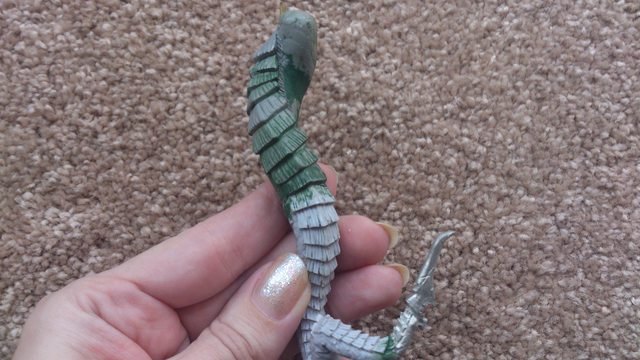
I decided to wrap a tentacle around the platform for cool factor. I started by forming the basic shape out of aluminium foil. I use al foil as an armature as it is lighter and cheaper than putty, but it is not load-bearing so I needed to pin the claw through the putty into the platform.

Throne of Everblight Conversion

I then sculpted putty over the top of the foil, joining it up with the original claw.

Throne of Everblight Conversion

I realised at this point how long this conversion was going to take me. I could only sculpt a couple of scales at a time (or risk smudging) and I had about a hundred to go! Ugh.

Throne of Everblight Conversion

I started to thicken up the support tentacle and add scales. It was important to match up the thickness so that it blends together when it’s all joined up to the portal, but for now I wanted to keep the pieces separate so that I could paint underneath the portal more easily. It’s taking a long time because I keep messing it up the thickness and the scales.

Throne of Everblight Conversion

The two side tentacles are done. I had to saw off the ends as they thickened to fit into the Throne’s sockets. I want to make it look like the body of the beast is much higher on the other side of the portal, so the thickness of the tentacles needed to be more uniform. For that reason I filled in some of the musculature at the top of the tentacle as well. Some of the tentacles had a flattened section to rest on the base, because mine will be in mid-air I needed to fill out those flattened sections.

Throne of Everblight Conversion

Here’s the top half of the wrapping tentacle. I learned a lot from my mistakes with the first one so I got the shape completely done before I started the scales.

Throne of Everblight Conversion

As opposed to this one, which I was very unhappy with. I lost count now of how many times I sliced greenstuff off and started again. It’s vertical so that it can support the weight of the structure but it just doesn’t look right.

Throne of Everblight Conversion

So, after stripping it and resculpting several times I decided to start over and curled the putty around the brass rod. I think it’s an improvement but I wasted several months of sculpting those damn scales! That’s the new one on the left.

Throne of Everblight Conversion

Here it is connected to the resin tentacle.

Throne of Everblight Conversion

This conversion has taken me a very long time. I experienced delays when my putty never arrived. I tried a different putty and it turnout so badly that I had to rip it all off and start again. I also had to start the first tentacle from scratch. All together it took the fun out of the project and so I was dragging my heels on the conversion. (Don’t worry, it’s finally finished now!)

Thanks for reading, likes/shares/comments are appreciated!

How to Paint Faces: Annyssa Ryvaal

Original upload date: November 3 2013

I was asked on the forums to explain how I paint my faces so I wrote a little guide:

Aella’s Guide to Painting Faces

Step 1: Clean and assemble your model as normal. I prime my Legion in white because of the pale flesh. When I paint darker/dirtier models, I prime in black.

Step 2: You can either start with a dark basecoat and highlight lighter, or start with a mid-tone and darken it. For my Legion, I start by basecoating with my main flesh colour (Rakarth Flesh). The important part here is to keep your paint thinned. Thick, clumpy paint is the easiest way to ruin a face.

Painting Faces Guide

Step 3: I add a wash to darken the recesses (Seraphim Sepia). In this case my wash also adds some warmth to the tone. This is fine for tabletop quality, but when I am painting to a higher standard I prefer to paint everything by hand to avoid wash patchiness.

Painting Faces Guide

Step 4: Highlight with the mid-tone (Rakarth Flesh). Often I see beginner painters skip straight from a wash to a top highlight. This skips out the middle colour and leads to stark highlighting. To get a smoother transition, reapply the mid-tone colour before highlighting the top layer. In this case I leave the dark colour in the recesses around her nose, and in her ears. Remember to keep your layers thin.

Step 5: At this point I paint the eyes so that if I mess up I can just repaint with my base colour for an easy fix. I paint black into the sockets and then two spots of white on either side of the pupil. Beginners often end up with a wide-eyed look. This is often due to not having a thick enough black line around the eye. The white dots must have black all around them to give the eye depth and avoid that wide-eyed stare. The pic below is of Annyssa after I filled in her sculpted eyes.

Painting Faces Guide

They are tiny! She will look like she is squinting. So I break the first rule of kindergarten and colour outside the lines. This will give us enough black to define her eye and avoid squinting or staring. Girls do this all the time in real life with the magic of eyeliner makeup.

Painting Faces Guide

Step 6: Highlight the raised sections of the face (Rakarth Flesh + White Scar). These sections include the tip of the nose, the cheekbones, chin and browline. Again, keep your paints thin. I use a different painting technique for skin than I do with the other parts of my model. Human brains are wired to recognise faces and so in my opinion, the skin and face are most important parts of the model. If the face is not quite right it can distract the eye from the rest of the model. The technique I use on my skin is called feathering. Coolminiornot has a pretty good description of it here. Basically you put paint on one part of the model and then pull it across the surface so that it gets thinner and thinner and shows more of the underneath layer through. You are effectively concentrating more pigment in some areas than others, as opposed to regular highlighting which involves lighter pigments painted over darker ones. The trick is to get it smooth, and it takes practise and time to get right. I save it for skin, and do quicker techniques on the rest of the model.
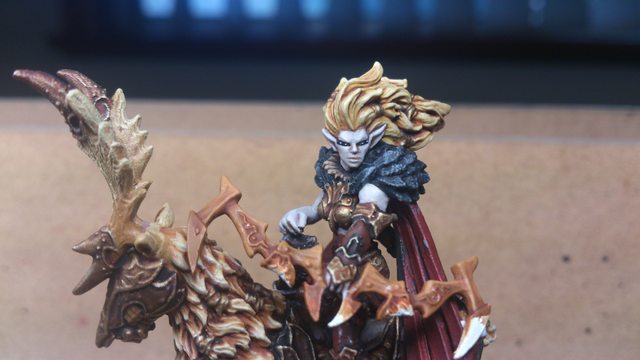
Painting Faces Guide

Step 7: Paint her lower lip with a shade of your choosing. I recommend mixing in a little of your flesh colour to tie it together, unless you are deliberately aiming for high contrast (e.g. Sorscha red). Paint a line for her lower lip, but do not paint her upper lip (unless you want her to look like a lady of ill repute). Instead add just two points of paint on the tips of the “cupid’s bow” (the pointy parts of the lip directly under each nostril).
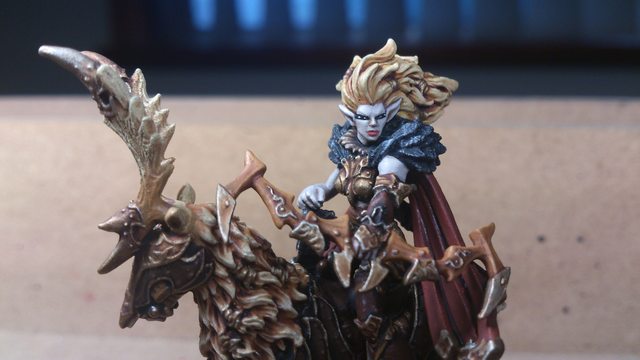
Painting Faces Guide

Step 8: Highlight just the bottom lip with a lighter mix of your lip colour. This adds fullness to the lips.

Step 9: Add eye-colour if you wish. I usually avoid this for my rank-n-file females, because I think the natural look is better for marching off to war. I did however, get carried away on Annyssa. When adding colour to eyelids, I water my paint down and use it as a glaze. It’s runny enough to be a wash, but make sure you don’t have so much paint on your brush that it flows into the crevices to ruin your eyes. Add successive layers of the glaze and let the colour slowly build up.
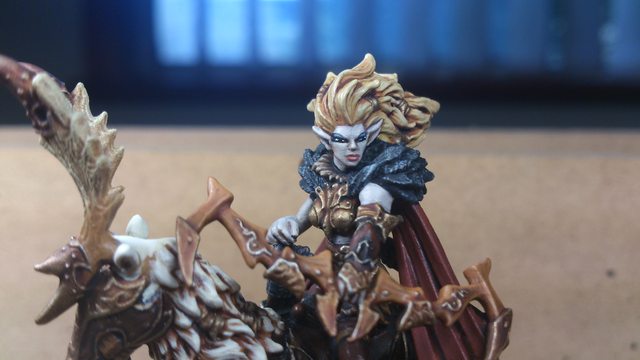
Painting Faces Guide

Here is my finished Annyssa Ryvaal.

Annyssa Ryvaal

Thanks for reading, likes/shares/comments are appreciated!